Cricket ID ka password bhool gaye ho ya ID lock ho gayi hai, to usi WhatsApp chat me desk ko likho jahan se ID mili thi: "password reset karna hai" aur apna username. Desk naya temporary password bhejega. Login karte hi use badal do. Is site par koi login form nahi hai, aur kabhi hoga bhi nahi; login sirf desk ke diye link par hota hai.
Password reset ke liye WhatsApp karo
Cricket ID login: sahi link kahan se milega
Login link wahi hai jo desk ne ID ke saath chat me bheja tha. Pehli baar kholte hi use browser me bookmark kar lo, ya home screen par shortcut bana lo. Google me platform ka naam daal kar login mat karo. Search results me milte-julte naam wali nakli sites hoti hain jo dikhne me bilkul asli jaisi lagti hain, aur jo bhi username-password wahan daaloge, wo seedha kisi aur ke paas jaayega.
Link khulna band ho jaaye, to naya link sirf usi chat me maango. Platforms kabhi kabhi apna domain badalte hain. Aise me naya link desk se confirm karo, kisi forward, SMS ya Telegram post se nahi.
Cricket ID password: pehla login kaise karein
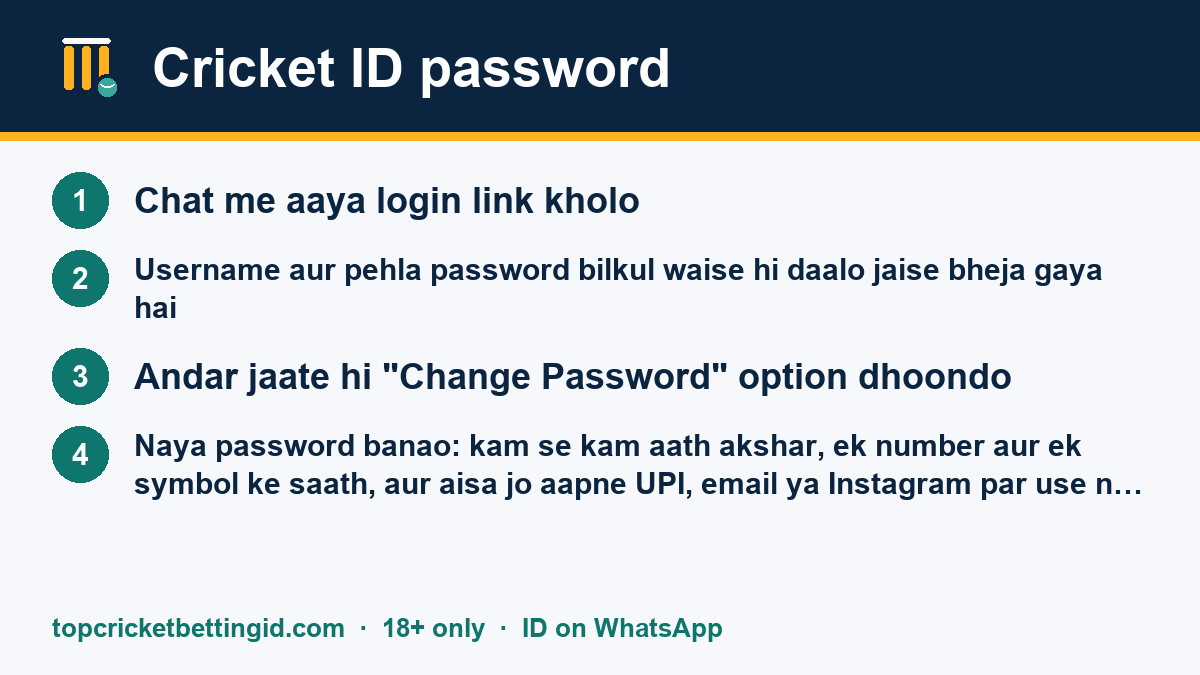
- Chat me aaya login link kholo.
- Username aur pehla password bilkul waise hi daalo jaise bheja gaya hai. Capital aur small letter ka fark padta hai, aur aage-peeche space na ho.
- Andar jaate hi "Change Password" option dhoondo. Ye aksar profile ya settings menu me hota hai.
- Naya password banao: kam se kam aath akshar, ek number aur ek symbol ke saath, aur aisa jo aapne UPI, email ya Instagram par use na kiya ho.
- Logout karke naye password se ek baar login karke check kar lo.
Naya password kisi ko mat batao. Reset ke liye desk ko aapka password nahi chahiye, sirf username chahiye.
Password bhool gaye ya ID lock ho gayi
Kai panels me lagataar galat password daalne par ID kuch der ke liye lock ho jaati hai, aur baar baar try karne se lock lamba bhi ho sakta hai. Isliye do galat try ke baad ruk jao aur desk ko likho. Message me teen cheezein do: username, screen par kya error dikh raha hai (screenshot ho to aur accha), aur aakhri baar kab login kiya tha.
Desk apne panel se ID unlock ya reset karta hai, aur naya temporary password usi chat me bhejta hai. Reset ka message kisi doosre number se aaye, to wo desk nahi hai. Reset hamesha purani chat me hi hota hai.
Cricket ID kaise use kare: andar kya kya hai
Login ke baad zyada tar panels ka layout milta-julta hota hai. Naam thoda alag ho sakta hai, par kaam ye hi rehta hai:
| Section | Kis kaam ka |
|---|---|
| Home / Sports | Cricket, football aur tennis ke matches ki list. Live match alag se dikhte hain. |
| My Bets / Open Bets | Jo bets abhi chal rahe hain, aur jo unmatched pade hain. |
| Account Statement | Har deposit, withdrawal aur settlement ki entry, date aur time ke saath. |
| Profit & Loss | Kisi din, match ya market ka kul hisaab. |
| Change Password | Password badalne ki jagah. Har kuch hafton me badalte raho. |
Bet kaise lagta hai, aur back aur lay me kya fark hai, ye cricket ID me paise kaise lagaye page par ek example ke saath samjhaya gaya hai.
Login ke baad kuch ajeeb dikhe to
Statement me aisa bet dikhe jo aapne nahi lagaya, ya balance bina wajah kam lage, to maan ke chalo ki password kisi aur ke paas hai. Turant password badlo, phir Account Statement ka screenshot lekar desk ko usi chat me bhejo. Jab tak baat saaf na ho, naya deposit mat karo. Jaldi bataoge to desk ke paas panel me dekhne ke liye zyada saaf record rahega.
App se login karna hai?
Kai platforms ka saara kaam phone ke browser me hi ho jaata hai, aur app ke naam par aane wali APK files me khatra hota hai. App chahiye hi, to pehle desk se poochho ki aapke platform ka asli app hai bhi ya nahi. Nakli APK ko kaise pehchanein aur bina APK ke home screen shortcut kaise banayein, ye cricket ID app APK wale page par samjhaya gaya hai.
Apni ID ko safe kaise rakhein
- Ek phone, ek browser. Dost ke phone ya cyber cafe se login mat karo.
- Browser "password save karein?" pooche, to sirf apne personal phone par haan karo.
- Koi "support" wala khud se message karke OTP ya password maange, to use block karo.
- ID kisi aur ko chalane ke liye mat do. ID aapke KYC par bani hai, uska har bet aapke naam par hai.
- Kaam khatam ho to logout karo, khaas kar jab phone doosre log bhi use karte hon.
ID abhi bani hi nahi, to pehle cricket ID kaise banaye padho. Saare guides ek saath cricket ID page par hain.
ID sirf 18+ ke liye hai, aur har state me online betting ki ijazat nahi hai. Login karne se pehle apni mahine ki limit yaad kar lo, aur usse aage mat jao.